
What Is the Best Way to Make an Online Playbill for a High School Production?
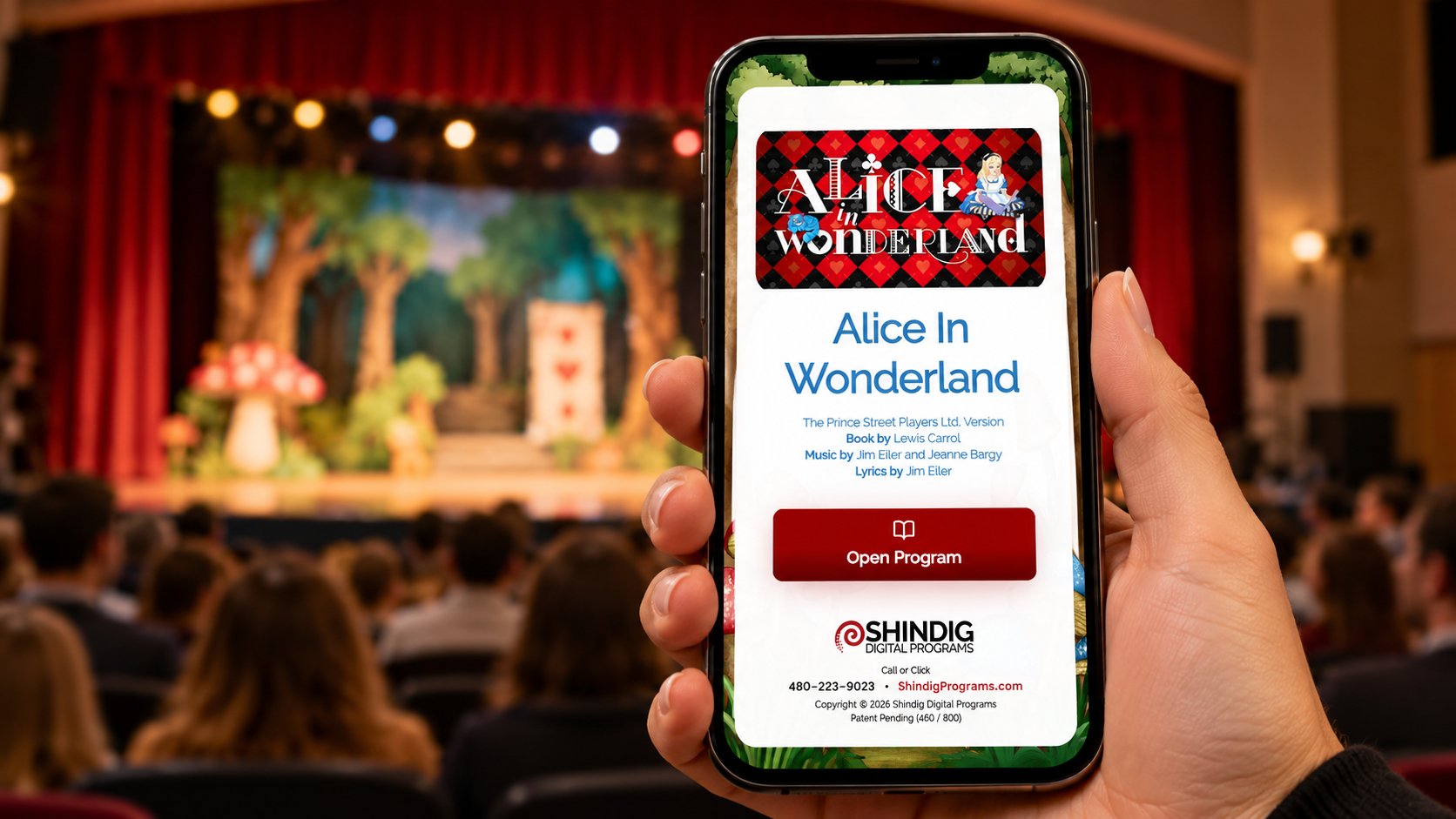
In my experience working with high school theater directors, the best way to make an online playbill is to start with a production template and use a platform designed for audiences to navigate on their phones. It should save you time creating the program and make it easy for families to find cast photos, bios, the synopsis, and acts and scenes.
That’s the approach we’ve taken with Shindig Digital Programs. Directors already have enough to do getting a production onstage. Creating the playbill shouldn’t become another major production.
Start With Something That Saves You Time
The biggest complaint I hear from directors is how long playbills take to create. Several have told me they spend hours putting one together. One director told me it could take up to 40 hours.
When you’re collecting information, arranging photos, adjusting text, and making everything fit, the work adds up quickly. And every late addition can mean another layout change.
My opinion is that directors shouldn’t have to start from a blank page for every show.
With Shindig, we have hundreds of production templates to choose from. Depending on the show, those templates include:
A cover page and cover image
The synopsis
Acts and scenes
Background images
Sometimes, the history of the show
If we don’t have a template for your particular play, we can help you put one together.
With that foundation in place, the main work left is adding your cast, crew, and other production personnel.
Choose a Playbill That Is Easy to Use on a Phone
Canva and Google Docs are familiar tools, and they can be used to create a program that you share online. But if you’re creating a PDF, you still have to lay out the pages, adjust the type, and make sure everything fits within the margins.
Putting that PDF behind a QR code makes it available digitally. It doesn’t remove the work of designing it.
There’s also the audience’s experience to consider. Someone opens the program to find a cast member, then wants to return to the synopsis or check the acts and scenes. In a long PDF, that can mean scrolling back and forth and enlarging pages to read them.
I think an online playbill should make those things easier.
Give Audiences a Way to Jump to What They Want
Shindig uses interactive buttons so audience members can go directly to the section they want. They can open cast information, zoom in on photos, and move from one image to another.
That’s an important difference to me. A digital playbill should take advantage of what a phone can do, rather than simply display pages that were designed for paper.
When comparing options, try opening a sample program on your own phone. See how easily you can find a performer, read a bio, and return to another section.
Consider What Printing Is Taking From Your Theater Budget
Cost is the other concern I hear repeatedly.
I’ve had directors tell me that even a couple hundred dollars for printed playbills is difficult to justify. For others, the expense reaches into the thousands. They can immediately think of other things their theater could do with that money.
A playbill matters. It recognizes the students and production team and helps the audience connect with the show. But I don’t think providing that experience should require a large printing bill for every production.
When you compare online playbill options, consider both the price of the platform and the time you’ll spend creating the program. A tool that still requires hours of layout work may save paper without solving your biggest problem.
Help Your Audience Make the Switch
Directors are often apprehensive about going digital because their audiences are accustomed to paper programs. That’s a reasonable concern, especially when families enjoy taking something home.
The story I hear afterward is usually similar: the director is surprised by how quickly the digital playbill came together and how beautiful it looks.
In my experience, almost every director who tries it with audiences for at least two productions ends up moving to digital exclusively. People have a chance to become familiar with it, and the director sees how much work and printing expense it removes.
Directors also appreciate not needing someone at the door handing out programs. One approach they like is placing QR codes on the backs of seats so audience members can access the playbill once they sit down.
Keep a Paper Option Available
You can introduce a digital playbill while still accommodating people who need paper.
Shindig includes a one-page printable playbill. A director can print several copies to have available for those audience members.
That gives you a practical starting point: make the full digital program available to everyone and keep a small supply of paper copies on hand.
Explain How Families Can Save Their Playbills
A playbill is also a memory of the production, especially for students and their families.
Each audience member can create a free personal account with Shindig and save the digital playbills they attend. They can return to those programs later and build a collection across productions.
I like to emphasize this when helping directors introduce digital programs. Families want to know they’ll be able to find the playbill again after closing night.
How I Recommend Creating Your First Online Playbill
For a high school director getting started, I recommend this approach:
Choose a platform that works comfortably on a phone.
Start with a template for your production.
Add your cast, crew, photos, and bios.
Check the synopsis, acts and scenes, and production details.
Open the finished playbill on your phone and test the navigation.
Place QR codes where audience members can easily find them, such as on seat backs.
Print a few one-page programs for people who need them.
Let families know how to save the digital playbill for later.
The best choice is one you can manage alongside everything else a production requires. From what directors have shared with me, having the content and design already started—and giving audiences simple navigation—makes the biggest difference.